Photographing fireworks can be challenging, but it's a lot of fun at the same time. If you're at a point in your photography where you'd like to try something new, fireworks could be your next challenge or project. There are different ways to capture fireworks, and in this blog I'll show you the technique I use, which I find works very well for capturing amazing fireworks images.
Here's what you need in terms of equipment: 1) a tripod, 2) a wide-angle lens (with a focal length between 16mm and 28mm, depending on how close you are to the event), and 3) a remote shutter release (optional, but it gives you a lot more flexibility). I generally shoot fireworks close to the action, so a 16mm lens is my favorite for capturing a wide view of the scene.
Here are the step-by-step techniques for capturing fireworks:
Try to arrive at the event 30 minutes before the show to set up your tripod and take a few test shots. At this point I generally work out my composition, including some foreground elements as well as a good portion of the sky.
Set your camera to Manual mode (M) and take a few shots of the scene before total darkness, as you can potentially use this image as a foreground image later in post-processing.
Make sure you focus on infinity (a distant object or a light works very well), then turn autofocus off to make sure it isn't hunting for focus while you're shooting the fireworks.
I generally set my ISO at 100, which gives you the lowest noise and the best colors in the fireworks. I also set the aperture around f/5.0 or f/6.3, which is very close to your lens's wide-open aperture, depending on your lens.
When the show starts, I generally set the shutter speed between 4 and 6 seconds to see whether my images are too dark or too bright (and then adjust accordingly). However, 4 seconds is generally a sweet spot for me. If your images are slightly dark, that's OK, because it's always better to increase the exposure in post-processing than to have images that are too bright (with clipped highlights).
Once I have all my settings, I shoot consecutive images—either manually, with a remote release, or by setting consecutive shots in-camera. To set consecutive shots in-camera, you can use the Interval timer setting (or whatever equivalent your camera brand offers). Once the Interval timer is enabled, you can select the time between frames and the number of frames. If I'm shooting with a shutter speed of 4 seconds, I set the interval to 5 seconds (as shown in the figure below). You can also select the number of frames you want to take (20 shots, for example, before reviewing your images), or you can shoot continuously by using 00 for the number of shots.
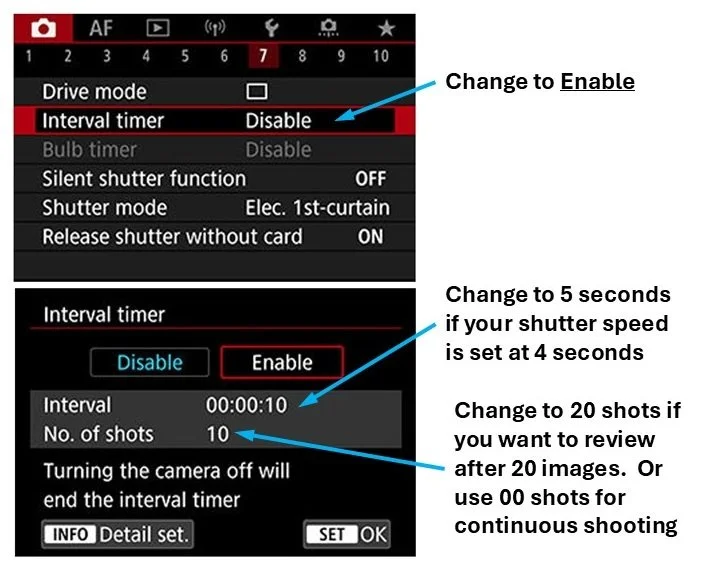
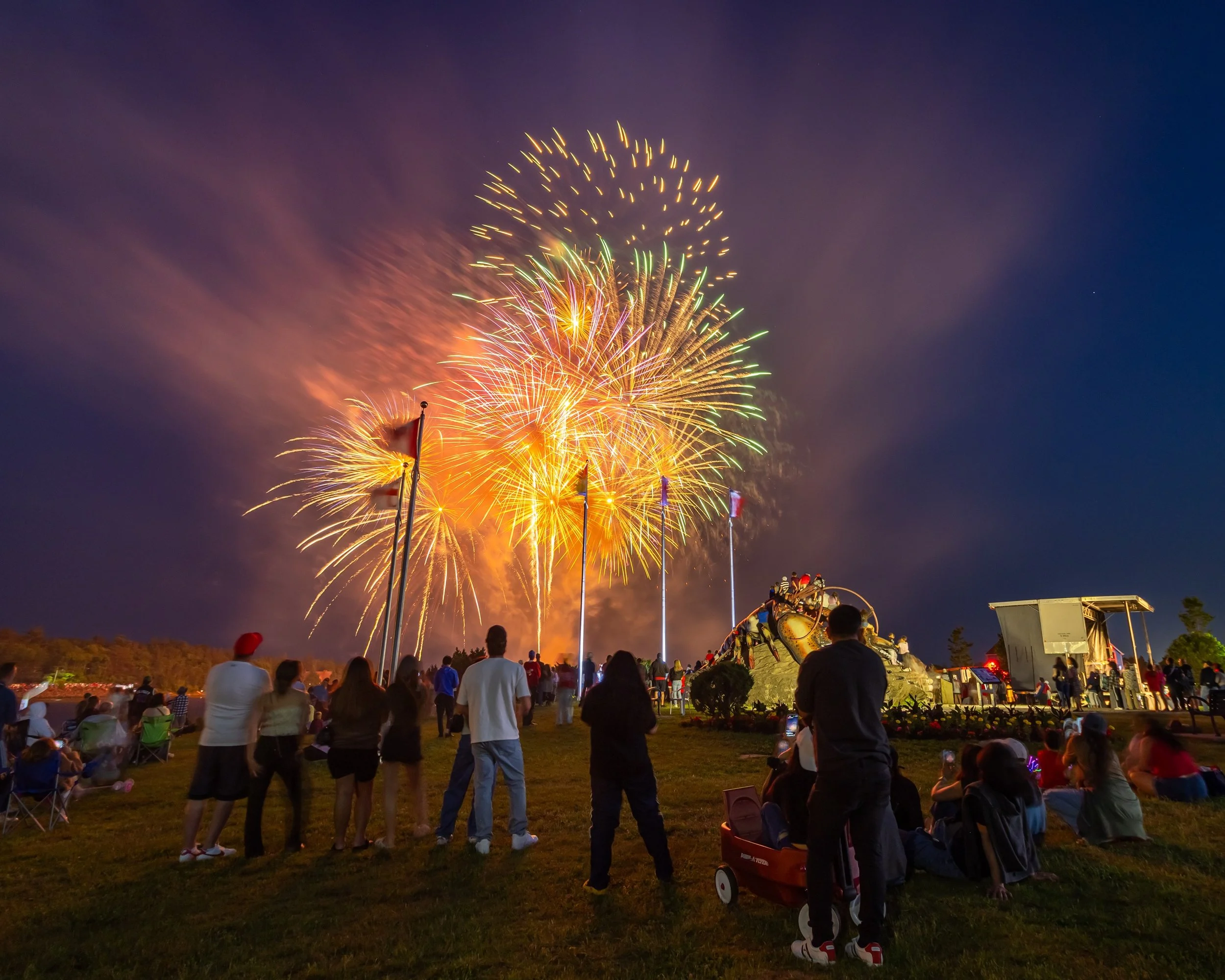
Image taken on July 1, 2026 in Shediac (New Brunswick). Setting were: ISO100, aperture f/5.0 with a shutter speed of 4 seconds. Lens focal length = 16mm (full frame camera equivalency).
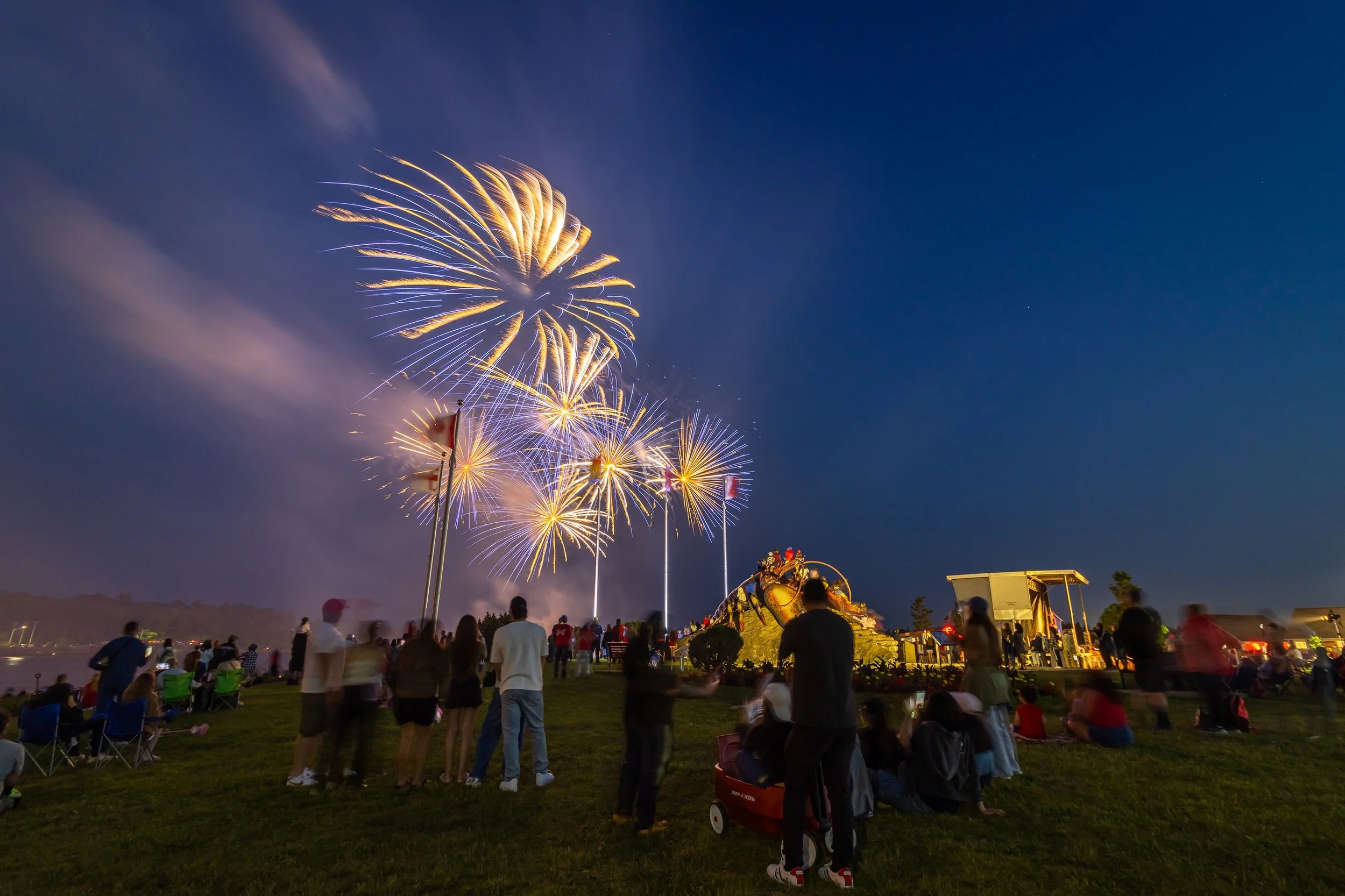
Image taken on July 1, 2026 in Shediac (New Brunswick). Setting were: ISO100, aperture f/5.0 with a shutter speed of 4 seconds. Lens focal length = 16mm (full frame camera equivalency).
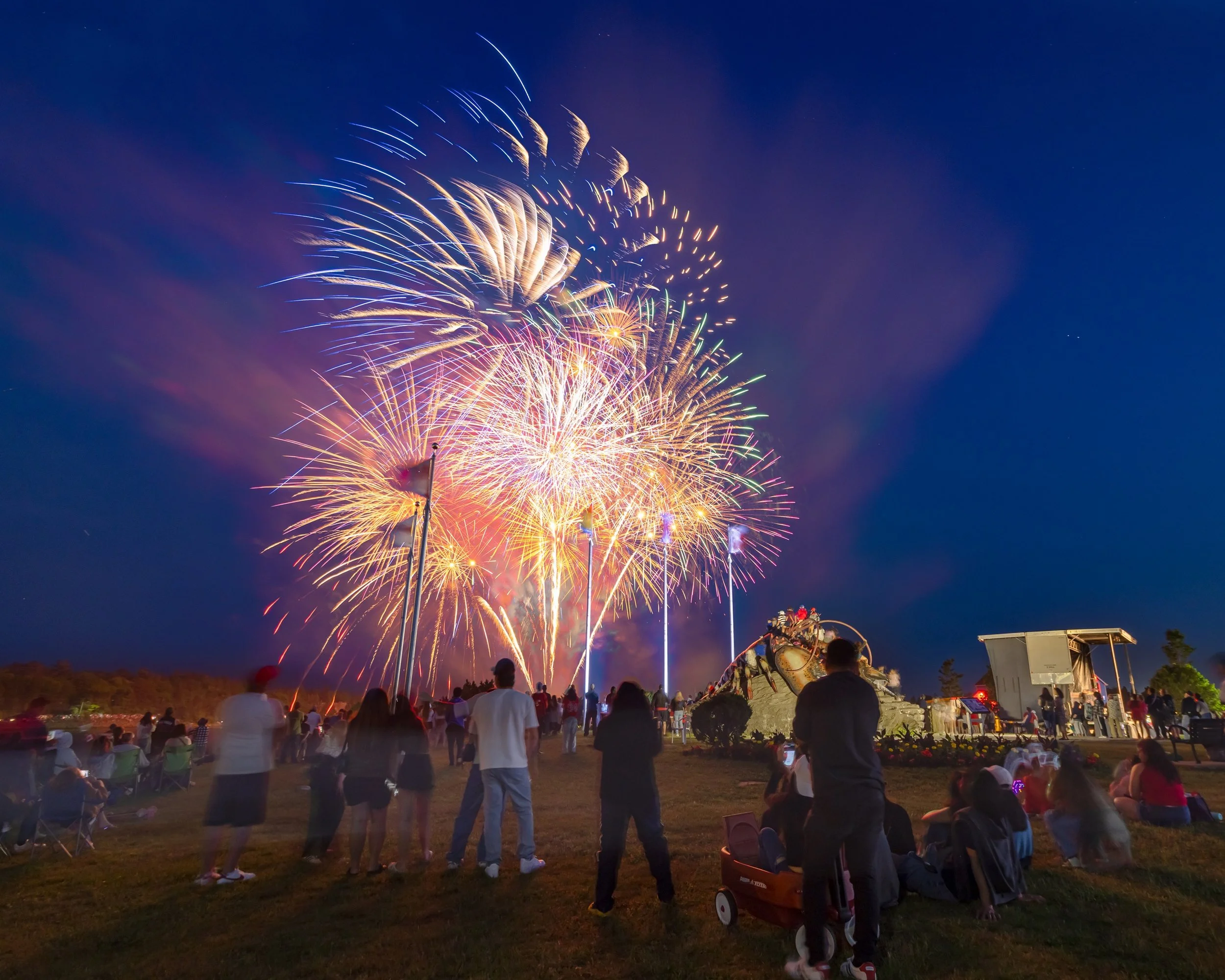
Image taken on July 1, 2026 in Shediac (New Brunswick). Setting were: ISO100, aperture f/5.0 with a shutter speed of 4 seconds. Lens focal length = 16mm (full frame camera equivalency). This image is a composite where fireworks from other frames were blended together in Photoshop.