Focus stacking is a technique used when you cannot achieve sharp focus from front to back (foreground to background) by controlling depth of field alone—for example, by stopping down the lens to f/16 or f/22. Instead, you shoot multiple images with different focus points and then blend them together in post-processing software to achieve sharp focus throughout the scene. The final image is a composite that is sharp from foreground to background—something a single exposure could not achieve. Focus stacking can be applied across many genres of photography, including landscape, macro, and others.
How to Create a Focus-Stacked Composite Image
Stabilize your camera. Mount it on a tripod so the composition remains identical across shots.
Set your camera to manual mode. Keep aperture, shutter speed, and ISO consistent between frames.
Select different focus points representing different distances from the lens to the subject, and take a sequence of frames. Typically, this means 3 to 5 images, depending on the depth of field and how close you are to the subject. For a landscape image, 3 images are often taken: one for the foreground, one for the middle ground, and one for the background.
Example Workflow
In the example below, 4 images were taken, with the 4 different focus points as shown in each image. All images are edited with the same settings—white balance, exposure, etc.— in Lightroom and then brought into Photoshop as layers.
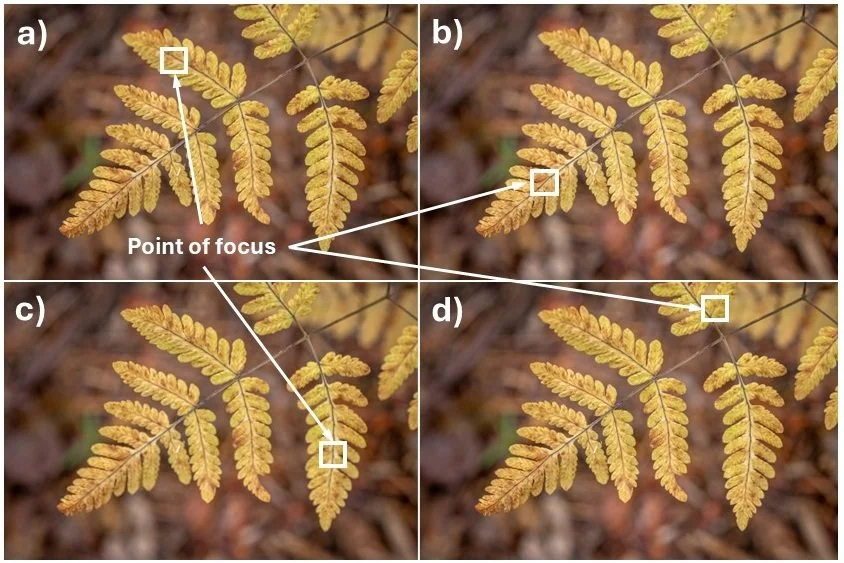
In Lightroom: Select the 4 images and apply the same edits to all images. After the same edits are carried out on all images, the click Photo → Edit In → Open as Layers in Photoshop.
In Photoshop: Select the 4 layers and click Edit → Auto-Align Layers to align them automatically. Then stack the images by clicking Edit → Auto-Blend Layers. This will focus stack at images and provide you with the image below. You can further edit your image in Photoshop or Lightroom, as required.
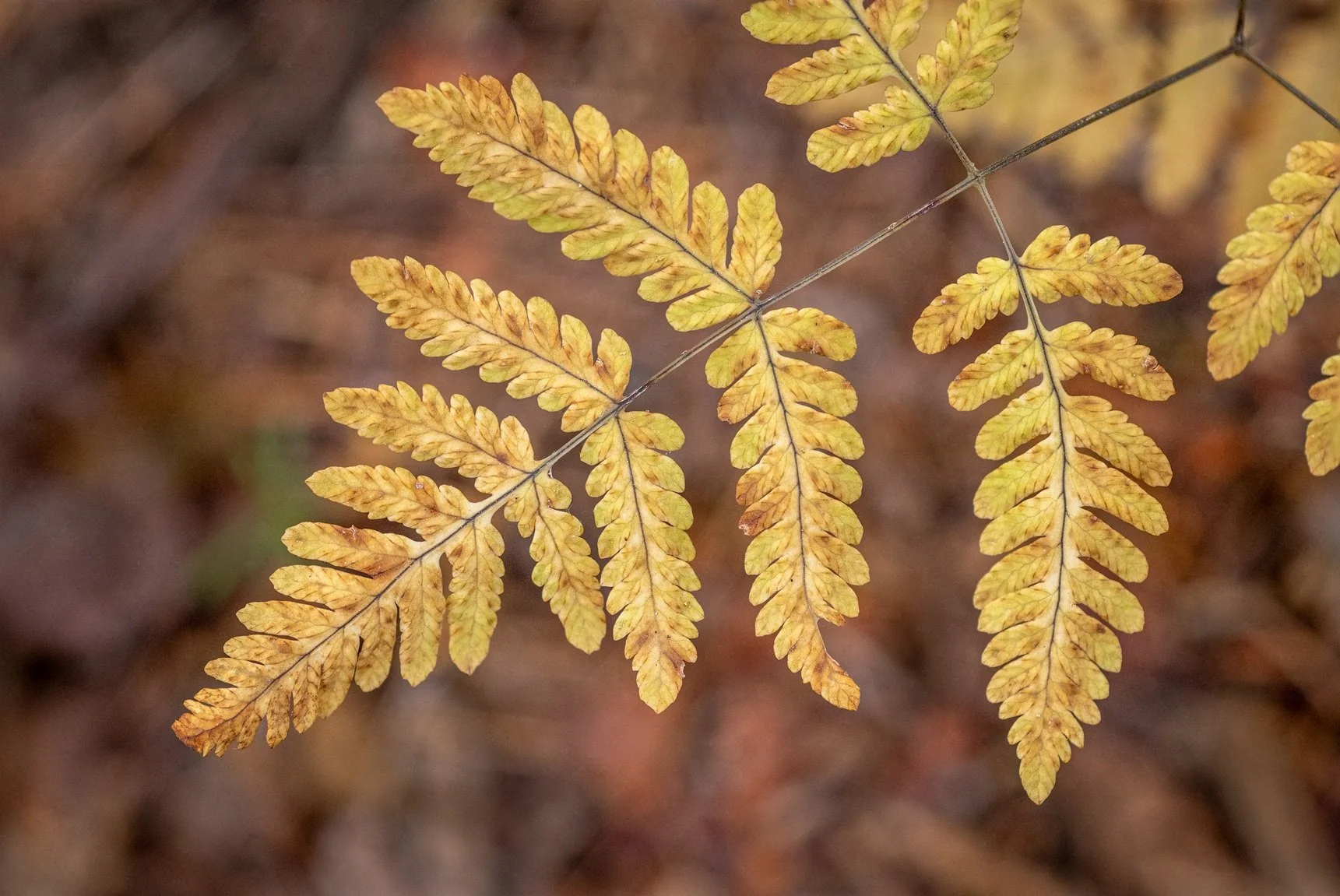
This image shows the final focus stacked image in Photoshop which is the sharpest composite image