How to prevent highlights from clipping during sunset photography
We are often in awe when photographing sunsets, especially when the sun is within the frame alongside amazing clouds and colors. Your camera sensor often captures beautiful colors that are not always seen by the naked eye. However, due to the high dynamic range of sunset scenes, some images can also result in unflattering colors, especially around the sun, exhibiting a strong, unnatural yellow cast. Why do we get this unnatural yellow cast, and how can we fix it while taking the photo or later in post-processing?
The strong yellow cast near and around the sun is often caused by clipping highlights where not all channels are clipping together. When all channels are clipped, the resulting color is pure white, with no details left in that part of the image (pure white clippings cannot be recovered or fixed in post-processing—all details are lost). The issue with a strong yellow color near and around the sun is that only some channels are clipping. In fact, in this area of the sky, the red and green channels become saturated (value of 255) much faster than the blue channel, thus resulting in the strong yellow color.
How to avoid this strong yellow cast around the sun: The first approach is to underexpose the image by one to two stops when photographing your scene, so that the red and green channels are further from saturation. If you need more exposures for other parts of the scene, you can always take another, more exposed frame or apply a bracketed exposure technique. In post-processing, be very careful with the "Whites" slider in the Basic Develop Module of Lightroom (keep the Whites as low as needed to prevent strong yellow colors). You may need to blend two images of different exposures (sky and foreground) together for better results; however, in my experience, one underexposed image (-2 stops) generally provides a good result for a sunset scene.
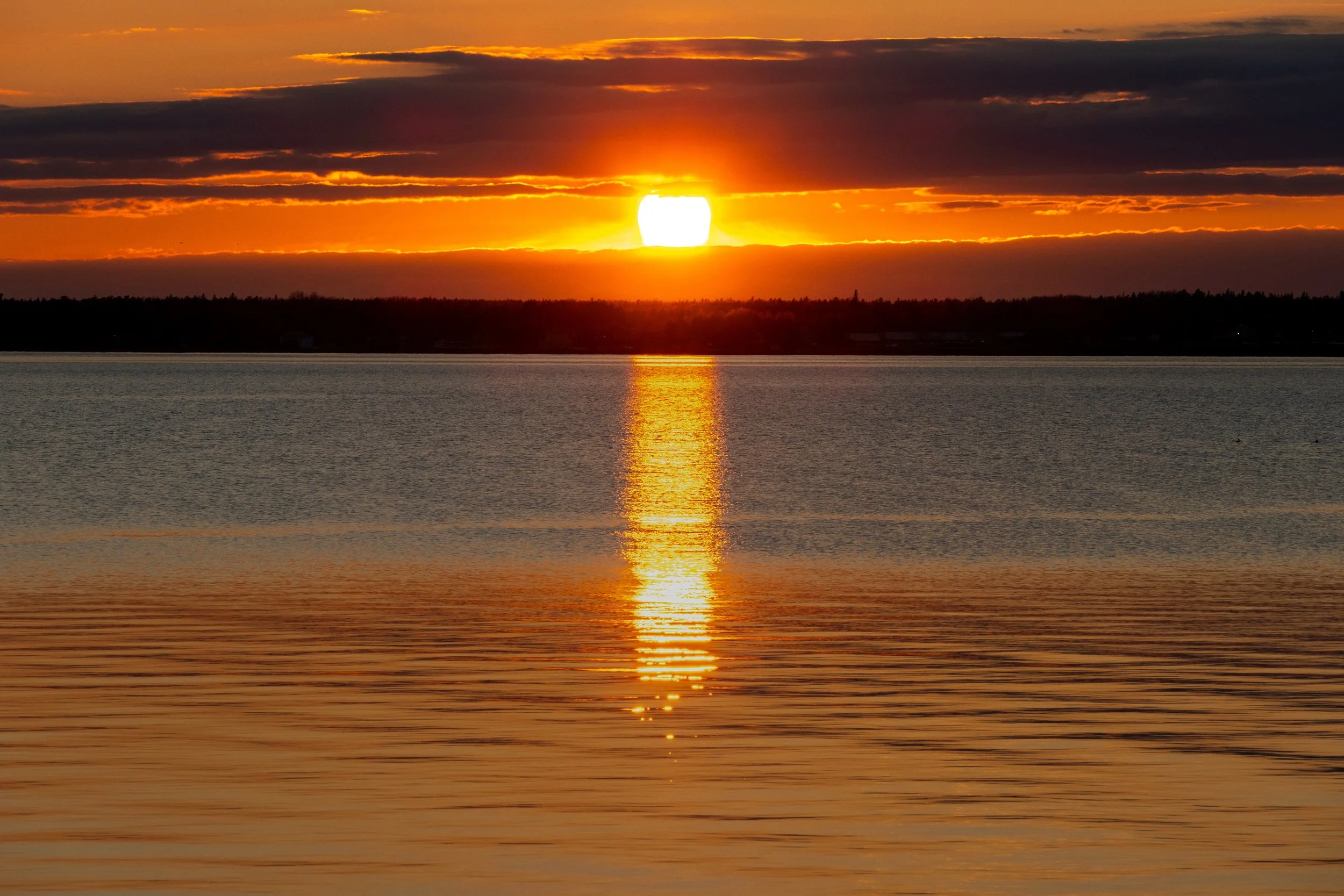
This image was captured underexposed (-2 stops); however, in the Whites were not lowered in post-processing which resulted in strong yellow colors near and around the sun.
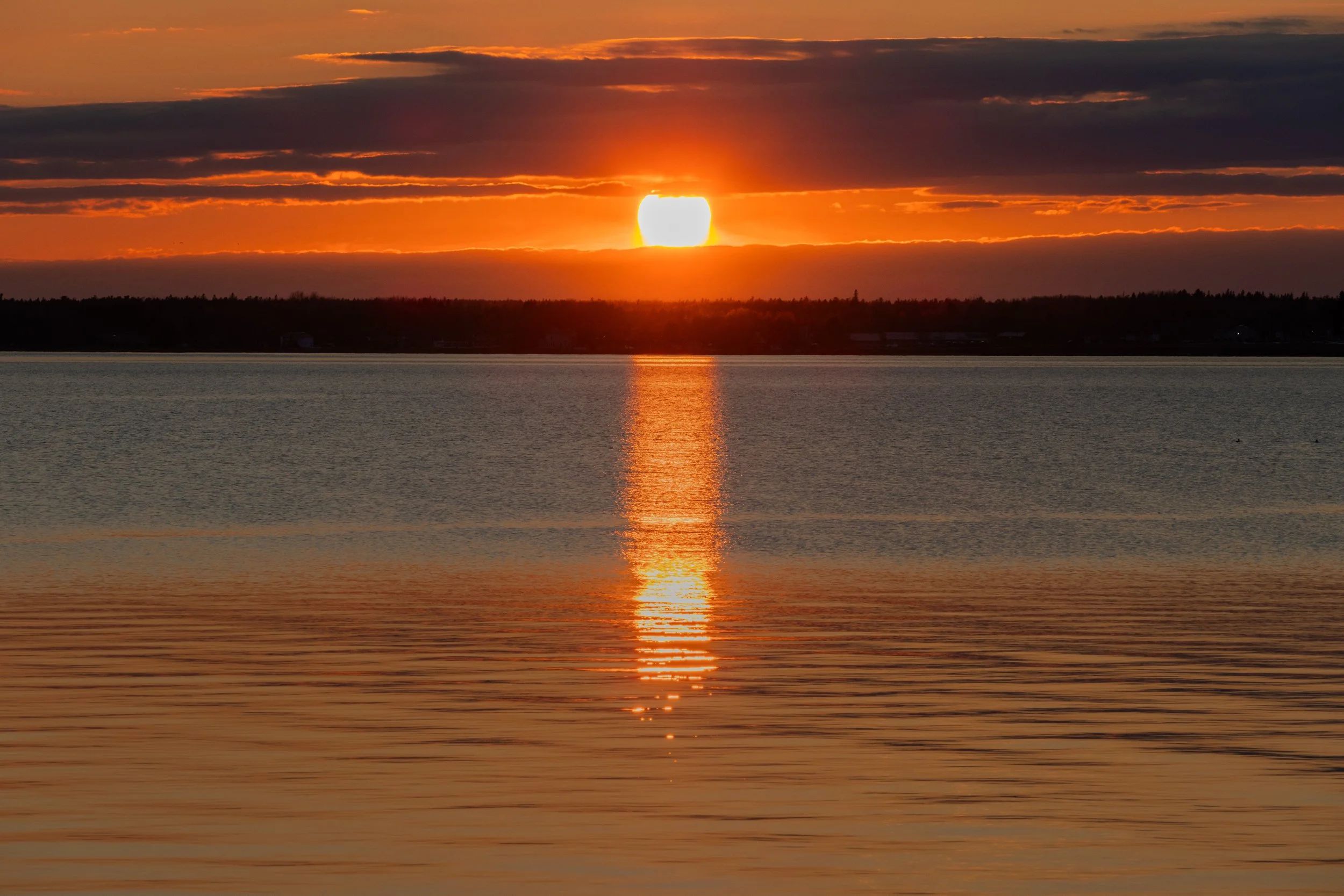
This is the same scene as the above image, i.e., captured underexposed (-2 stops); however, the Whites were lowered at -100 in post-processing and almost all strong yellow colors have been removed (giving a much more natural result).